Fast. Flexible.
Find any e-mail in the time it takes to type it
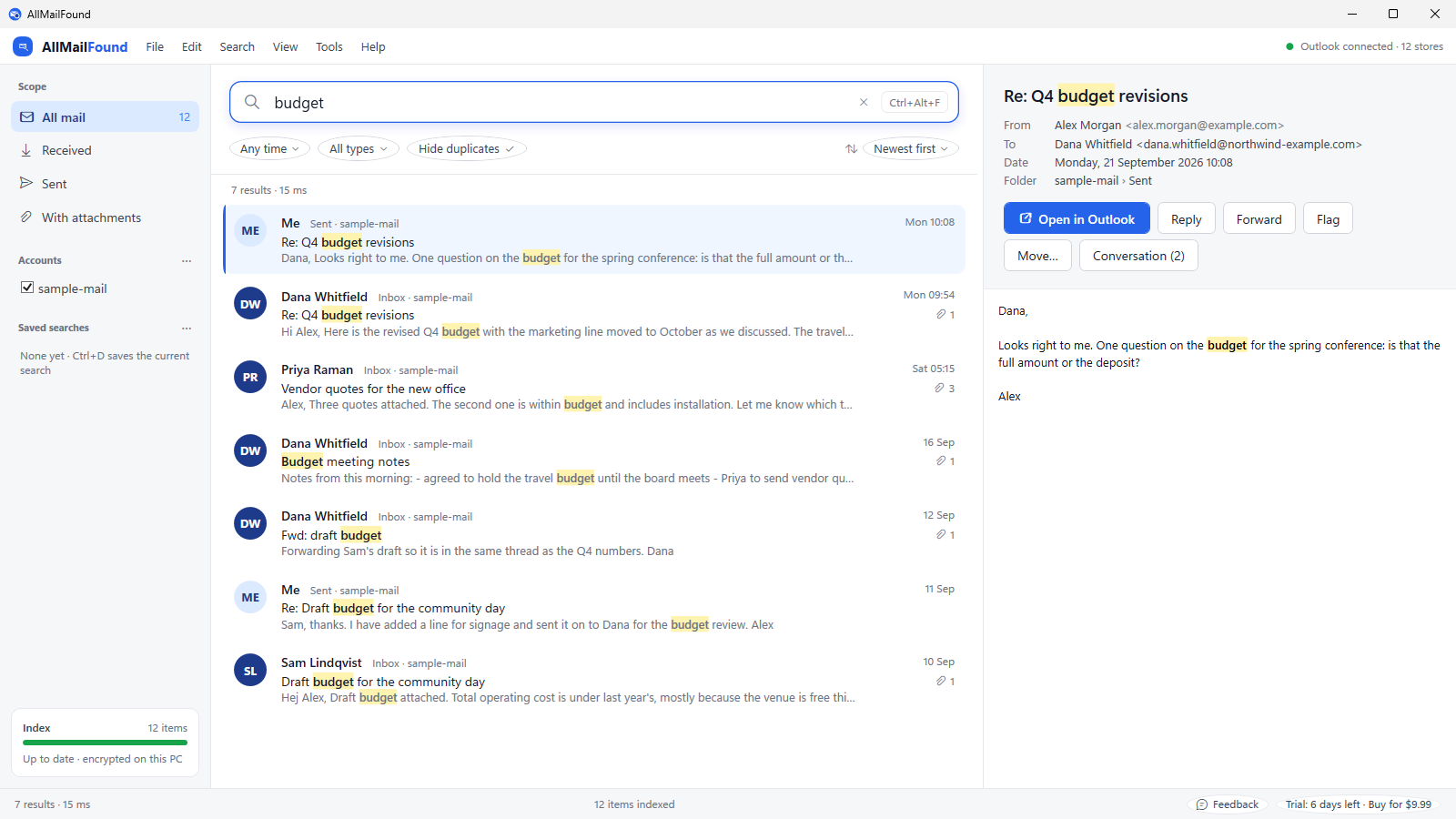
AllMailFound indexes every Outlook account and archive on your PC, including the text inside attachments, and answers as you type. It works with Outlook closed, and nothing ever leaves your computer. No AI model reads your mail: every step of indexing and searching runs on your own PC, so what is in your inbox stays confidential.
Windows 10 and 11 · classic Outlook 2016, 2019, 2021, 365 · PST and OST files · no account required
What it does
Works with Outlook closed, and open
AllMailFound reads your PST and OST files directly and in parallel, even while Outlook has them open, so the index is built and kept current whether or not Outlook is running.
New mail, indexed at once
While Outlook is open, arriving, sent, moved and edited messages are picked up within seconds.
Every account, every archive
All the data files in your profile plus any archive you add, and folders of .eml, .msg or mbox files such as a Thunderbird profile or messages exported from Outlook, searched together or one at a time. Copies of a message in several folders or accounts show as one row.
Inside attachments
Word, Excel and PowerPoint files (old and new formats, with headers, footers, comments and speaker notes), PDF, OpenDocument, text and HTML files, zip archives and attached emails are all indexed, so a figure in an old spreadsheet is one search away. Turn on picture reading in Settings to search scans and screenshots too, with the text recognition built into Windows, on your PC.
Search from inside Outlook
A free Outlook extension puts a search box above your mail and "all mail from this sender" on the right-click menu; the results open in AllMailFound.
Conversations
One click shows a whole thread across folders and accounts, replies and forwards included.
Preview, open, act
Read the formatted message with matches highlighted, open it in Outlook with Enter, or reply, forward, move and flag it right from the results, through Outlook.
Precise filters
Sender, recipient, subject, folder, account, category, date, attachment, item type, sent or received, all from the keyboard. Leave anything out with a minus: -from:dana.
No AI, all local
No AI model is used, so your mail is never sent to one. Indexing and searching are ordinary local processing on your own PC, and the index lives in your Windows profile, encrypted with a key Windows protects for your account. No cloud, no account, no telemetry. Crash reports are opt-in and never contain mail.
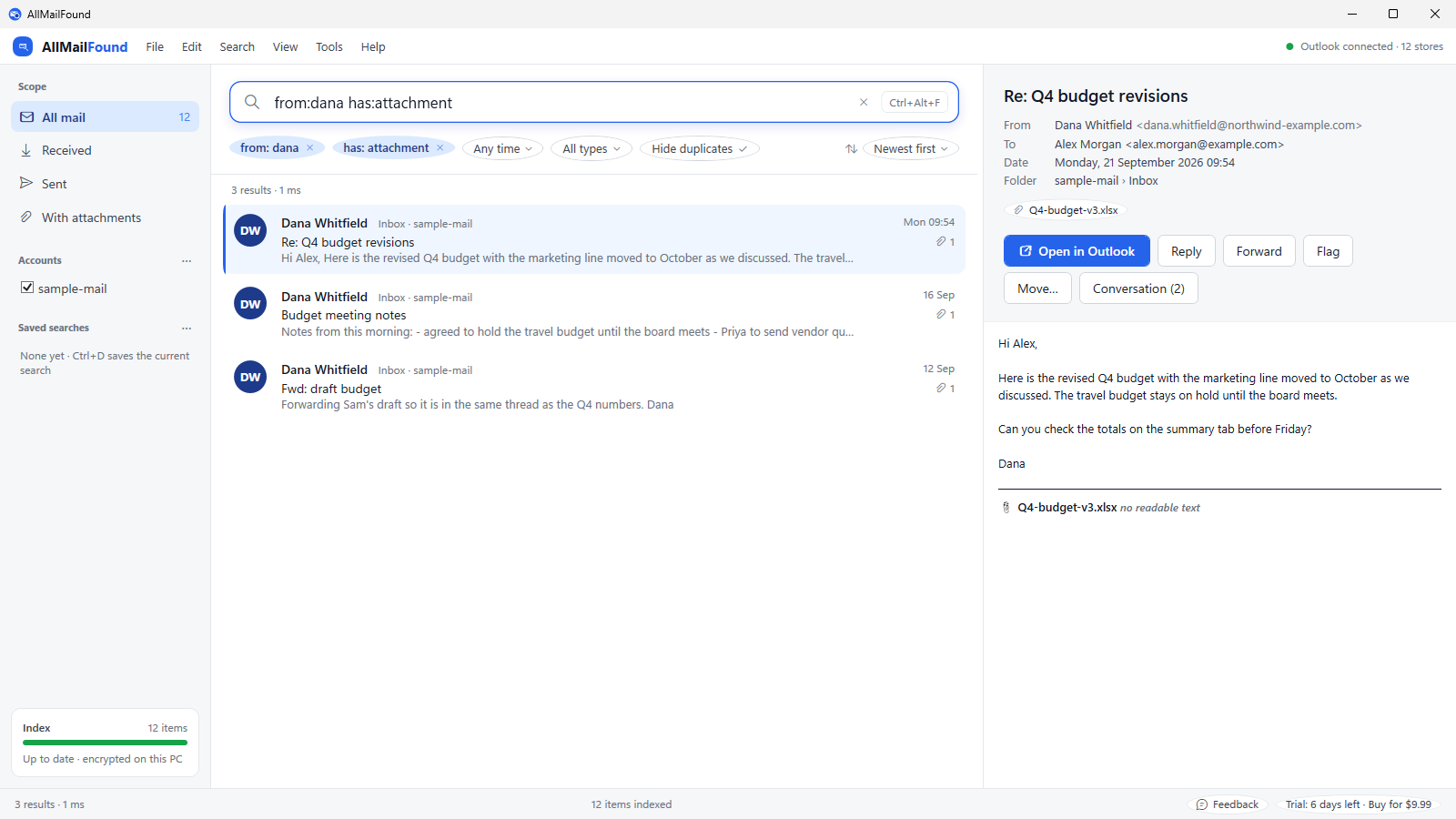
from:dana has:attachment becomes chips you can remove one at a time; the sidebar narrows by scope and account.Free extension: Integrated Search Bar for Outlook
Search without leaving classic Outlook. The extension adds a search bar to Outlook's window; press Enter and AllMailFound shows every match across all your accounts, archives and attachments.
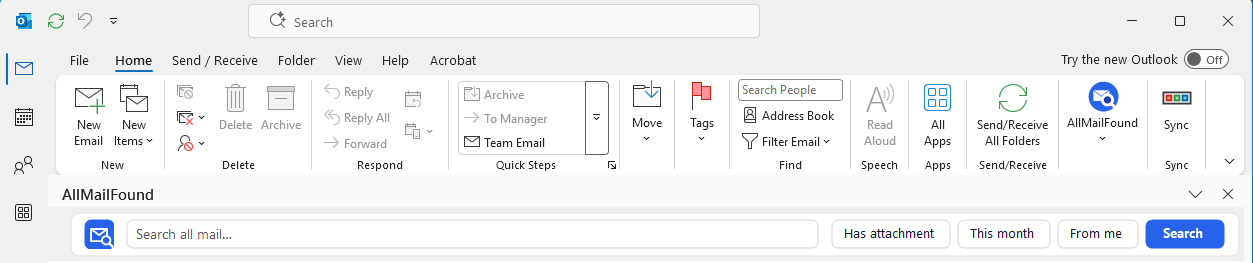
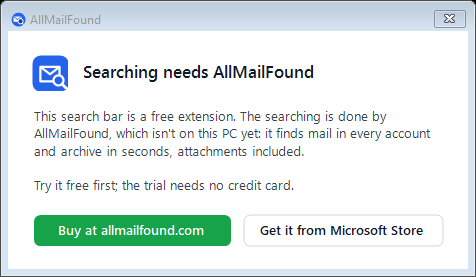
The extension is free. The searching is done by AllMailFound, which you need to buy: $9.99 once, for two PCs, or try it free for 7 days first.
Without AllMailFound the bar cannot search; it shows where to buy it instead.
- A search bar at the top, bottom, left or right of Outlook, or floating
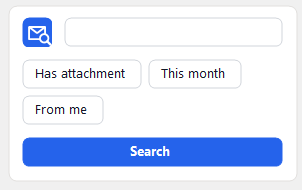
- One-click filters: has attachment, this month, from me
- Right-click a message: all mail from this sender, or the whole conversation
Download the free extension Buy AllMailFound, $9.99
Classic Outlook 2016 to Microsoft 365 on Windows 10 or 11; not the new Outlook. About 2 MB, no administrator rights needed; the bar appears when Outlook next starts. Works with AllMailFound 1.22 or later from this site; the Microsoft Store copy gains it with its next update. More about the extension.
Download
The trial is the full product for 7 days, no credit card needed. Indexing keeps running after the trial, so a licence unlocks your complete index the moment you enter it. A licence costs $9.99 instead of the $19.99 retail price, whether or not you try it first.
Download AllMailFound for Windows 
Installer from this site: about 76 MB, no administrator rights needed. From the Microsoft Store: the same app, installed and updated by Windows. The trial and licence keys work in both.
Requires Windows 10 or 11 (64-bit) and classic Outlook. The free Microsoft WebView2 runtime, present on all current Windows versions, renders formatted previews; without it AllMailFound shows plain text.
Pricing
Prices exclude VAT and sales tax, which the shop adds for your country.
- Everything on this page, with free upgrades for life
- All data stays on your PC: no cloud storage, no account, and the search index is encrypted on disk
- Works on two of your PCs
- The same $9.99 whether you buy right away, during the trial or after it
Team and business
- Per-person keys issued for your organisation
- MSI package with settings you set once for every PC
- Invoice payment
Pay once, upgrades included. The others end when you stop paying.
What one person pays for Outlook search over three years, at each maker's lowest published price on 24 September 2026. Details and links are on the comparison page.

One purchase covers two PCs, and every future version is a free upgrade, for as long as AllMailFound is sold. No renewal, ever.
No cloud, no account, no AI model reading your mail. The index is encrypted on your own PC.
Outlook's own search shows 250 results by default and at most 1,000, and it indexes the mail on your PC only while Outlook runs. AllMailFound reads the files directly and shows every hit.
Questions
- Does my mail go anywhere?
- No. Indexing and searching happen on your PC and the index stays in your Windows profile. AllMailFound makes exactly two kinds of network request, both optional: a daily check for a new version and, only if you switch it on, crash reports.
- Which Outlook versions work?
- Classic Outlook for Windows (2016, 2019, 2021 and Microsoft 365) with its PST and OST data files. The new Outlook keeps no local data files, so it is not supported; AllMailFound is built for classic Outlook and the files it keeps on your PC.
- How big can my mailboxes be?
- Large. Development is done against 300,000 messages in 12 accounts, indexed in minutes on an ordinary drive. AllMailFound sizes itself to your PC's memory and pauses indexing when memory runs short.
- What happens when the trial ends?
- Searching pauses; indexing continues. Enter a licence key and everything is available again immediately.
- Is the licence a subscription?
- No. You buy AllMailFound once and it is yours, with every future version as a free upgrade for as long as AllMailFound is sold. There is no account and nothing is stored in the cloud.
- Can I move it to a new PC?
- Yes. A licence works on two PCs at a time. On a further PC, AllMailFound offers "Use this PC instead": that PC takes the licence and the others ask for the key again. Moves are limited to one a day.