Search all your mail without leaving Outlook
Integrated Search Bar for Outlook: a free extension.
A search box right above your mail. Type, press Enter, and AllMailFound shows every match across all your accounts, archives and attachments, in seconds.
Free extension, no purchase or sign-up needed to install it. Windows 10 or 11 with classic Outlook (2016, 2019, 2021, 2024 or Microsoft 365, 32- or 64-bit); not the new Outlook. About 2 MB, no administrator rights needed. The bar appears the next time Outlook starts. Already installed AllMailFound from this site? The bar was offered during setup.
What it adds to Outlook
- A search bar at the top, bottom, left or right of the Outlook window, or floating
- One-click filters: has attachment, this month, from me
- A search button on the Home ribbon
- Right-click a message: all mail from this sender, or the whole conversation
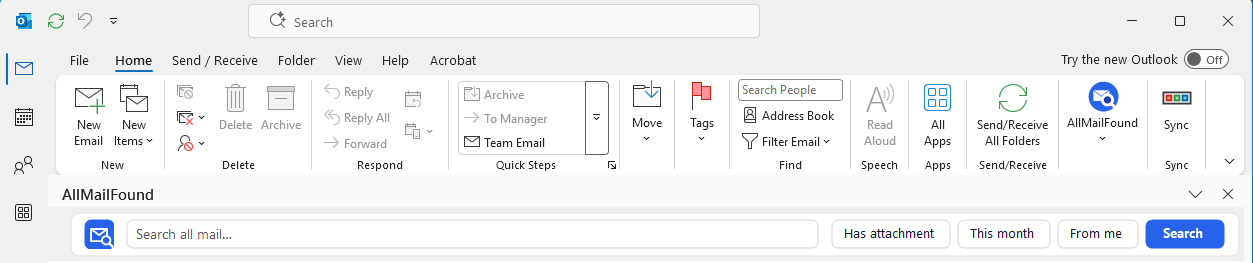
In classic Outlook: the AllMailFound button on the Home ribbon, and the search bar right under it. Move the bar to the bottom, either side, or let it float, from the AllMailFound button.
Installing it: the Windows warning, and why it is safe
Windows shows a blue "Windows protected your PC" screen for downloaded programs it does not recognise yet. That happens to new installers that do not carry a paid code-signing certificate. The screen says the program is unrecognised, not that anything harmful was found in it. We keep the extension free, so it is not signed yet.
What to do
- Download the extension from this page: AllMailFound-OutlookBar-Setup.exe, about 2 MB.
- Open the file. If the blue screen appears, click More info.
- Check that the app name is AllMailFound-OutlookBar-Setup.exe, then click Run anyway.
- The installer finishes in a few seconds. Close and reopen Outlook: the search bar appears under the ribbon.
Publisher: Unknown publisher
What the extension does, and does not do
- Installs for your Windows account only. It needs no administrator rights and changes nothing for other users.
- Adds the search bar, a ribbon button and a right-click menu to classic Outlook. Nothing else.
- Does not read, copy or send your mail. It passes only the search words you type to AllMailFound on the same PC.
- Makes no internet connection of its own. Only when you click a link in it does your browser open allmailfound.com or the Microsoft Store.
- Removes cleanly: Windows Settings › Apps › "AllMailFound search bar for Outlook (free extension)" › Uninstall.
Check the file yourself
- Download it only from this page. The link goes to allmailfound.com over a secure (https) connection.
- Right-click the downloaded file and choose Scan with Microsoft Defender.
- Compare its fingerprint (SHA-256 checksum). In PowerShell, run
Get-FileHash $env:USERPROFILE\Downloads\AllMailFound-OutlookBar-Setup.exe; the result must be20765254BE7267C0CE132F92956EC3C737AA6AA39D37445BFA43E6E4B4634F61(version 1.3.3). Any other value means the file is not ours: do not run it.
The extension is free; the searching is done by AllMailFound
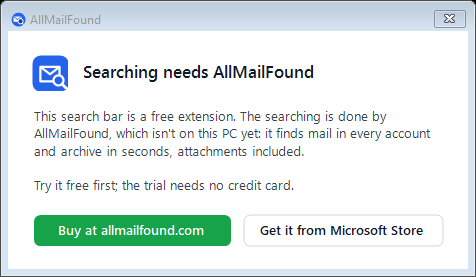
The bar hands each search to AllMailFound, the desktop app that indexes everything in your Outlook profile, PST archives and attachments included, and keeps the index on your PC. If AllMailFound is not installed yet, the bar shows you where to get it.
Buy AllMailFound, $9.99 Free 7-day trial
Or from the Microsoft Store: 
Works with AllMailFound 1.22 or later from this site. The Microsoft Store copy gains it with its next update.